
Smart, Fast & Seamless
Employee Services
Welcome to your official Employee Self-Service workspace. Apply for leave, check real-time approval status, download monthly payslips, and generate annual P9 tax certificates with ease.
Leave Management
Apply online, nominate relievers & view live leave balances.
Leave Management
Apply online, nominate relievers & view live leave balances.

Monthly Payslips
Download encrypted salary statements and deductions anytime.
P9 Tax Certificates
Instant generation of annual KRA tax summaries for filing.

Approval Workflows
Transparent tracking from supervisor to HOD sign-off.
KEY CAPABILITIES
Everything You Need in One Unified Portal
Designed to empower employees, supervisors, and HR teams with automated digital self-service.

End-to-End Leave Workflow
Submit annual, sick, or study leave requests, attach supporting documents, assign colleagues as relievers, and track approval status in real time.

Instant Payslip Access
Securely review monthly earnings, basic pay, allowances, and statutory deductions including PAYE, NSSF, and NHIF/SHIF with PDF export.
Annual P9 Tax Certificates
Retrieve official KRA P9 tax reports with full monthly payroll breakdowns, ready for your individual tax returns submission.
Multi-Level Approvals
HODs and Supervisors can review, approve, or reject team applications on desktop or mobile with automated notification alerts.
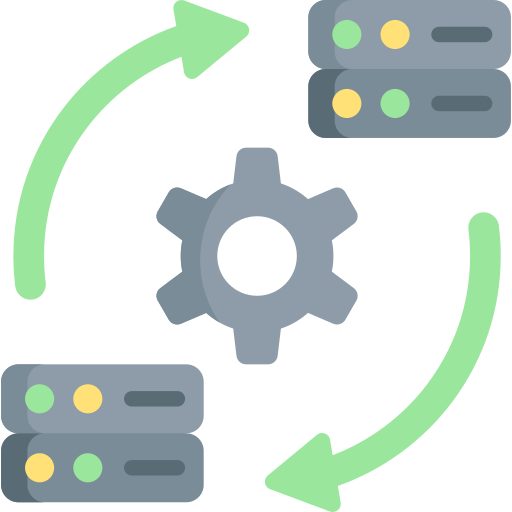
Live Business Central Sync
Seamless real-time integration with Microsoft Dynamics 365 Business Central keeps leave ledgers and employee data accurate.

Secure Authentication
Encrypted password protection, session timeouts, and role-based permissions ensure confidential HR and payroll data remains private.
CORE MODULES
Explore Self-Service Functions
A complete suite of employee tools built for speed and simplicity.
Leave Balance & Planner
View your accrued days, scheduled leaves, and available net balance updated directly from the HR Leave Ledger.
Salary Statements on Demand
No more waiting for payroll printouts. Generate and save monthly payslips instantly in standard PDF format.
Tax Season Preparedness
Export verified KRA P9 certificates with a single click at the close of every financial year.
Manager & HOD Oversight
Review pending requests from department staff, verify reliever coverage, and submit decisions on the go.
Sign In with Your Staff Account
Access your personal dashboard now to submit leave applications, verify balances, or download your documents.
FAQ
Frequently Asked Questions
Find quick answers to common questions about the ESS portal.
SUPPORT
Need Help or Support?
Have questions regarding your account, payroll, or leave records? Contact the HR / IT support team.